
Free AI Image Editor
Transform your images with AI. Upload a photo, describe your desired changes, and watch the magic happen in seconds.
Drop your image here
or click to browse
Supports JPG, PNG, WebP up to 16MB
Or try with an example:
How to Edit Images with AI: A Simple 3-Step Process
No tutorials needed. Upload your photo, describe the change you want, and let AI do the rest.
Upload Your Image
Drag and drop or click to upload up to 4 images. We support JPG, PNG, and WebP formats up to 16MB.
Describe Your Edit
Type what you want to change in plain language, or use our quick prompts like "replace background" or "change hair color".
Download Your Result
Preview your edited image and download in high resolution. Not perfect? Regenerate or refine your prompt.
AI Image Editor: Transform Any Photo with Natural Language
Visualero's Image Editor uses advanced AI models like Nano Banana 2, GPT Image 1.5, Seedream, and Qwen Image Edit to understand your editing requests in plain English. Describe what you want changed - hair color, outfit, background, expressions - and watch the AI apply professional-grade edits automatically.
Unlike traditional photo editors with steep learning curves, our AI handles the technical complexity. You simply describe the result you want, and the AI figures out how to achieve it while preserving the original image's quality and natural look.
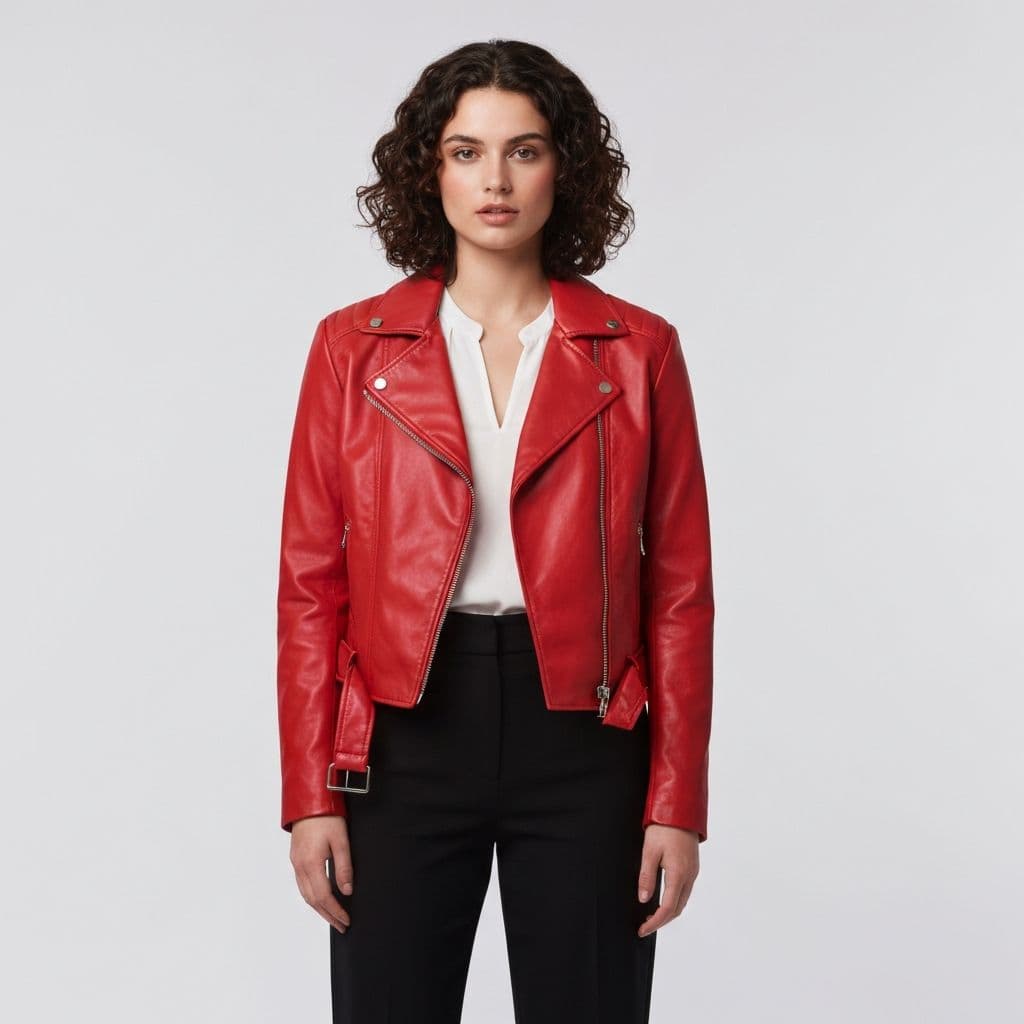
Prompt:
"Change to red leather jacket"
Why Choose Our AI Image Editor?
We make AI-powered photo editing accessible to everyone.
Instant Edits
Get professional results in under 10 seconds. No waiting, no complex workflows.
Privacy First
Your images are processed securely and never stored or shared without permission.
Save Hours
Accomplish in seconds what would take hours in traditional editing software.
AI Image Editor Use Cases: What Can You Edit?
From portrait retouching to product photography, discover how professionals and creators use our AI editor to save time and achieve stunning results.
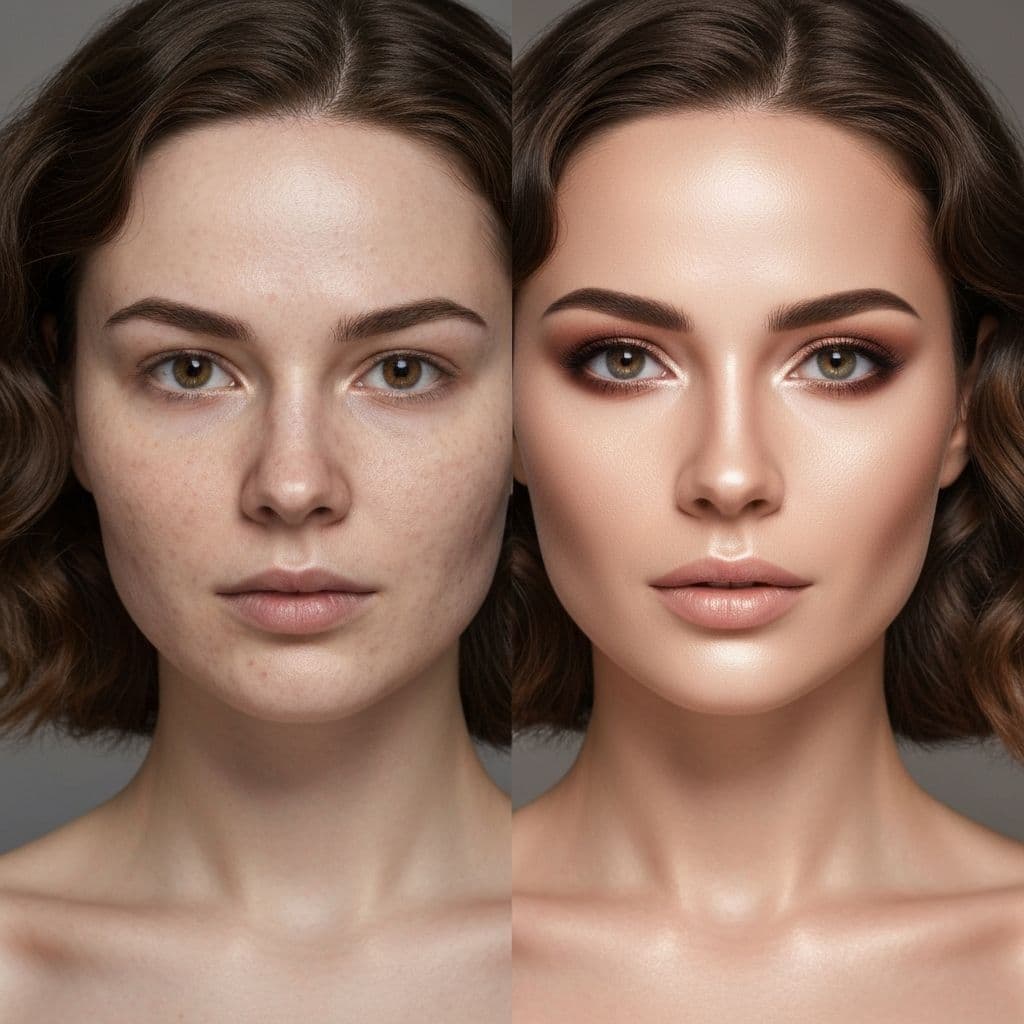
Portrait Enhancement
Perfect your portraits with AI-powered touch-ups. Change hair colors, adjust expressions, smooth skin, and enhance lighting without losing the natural look.
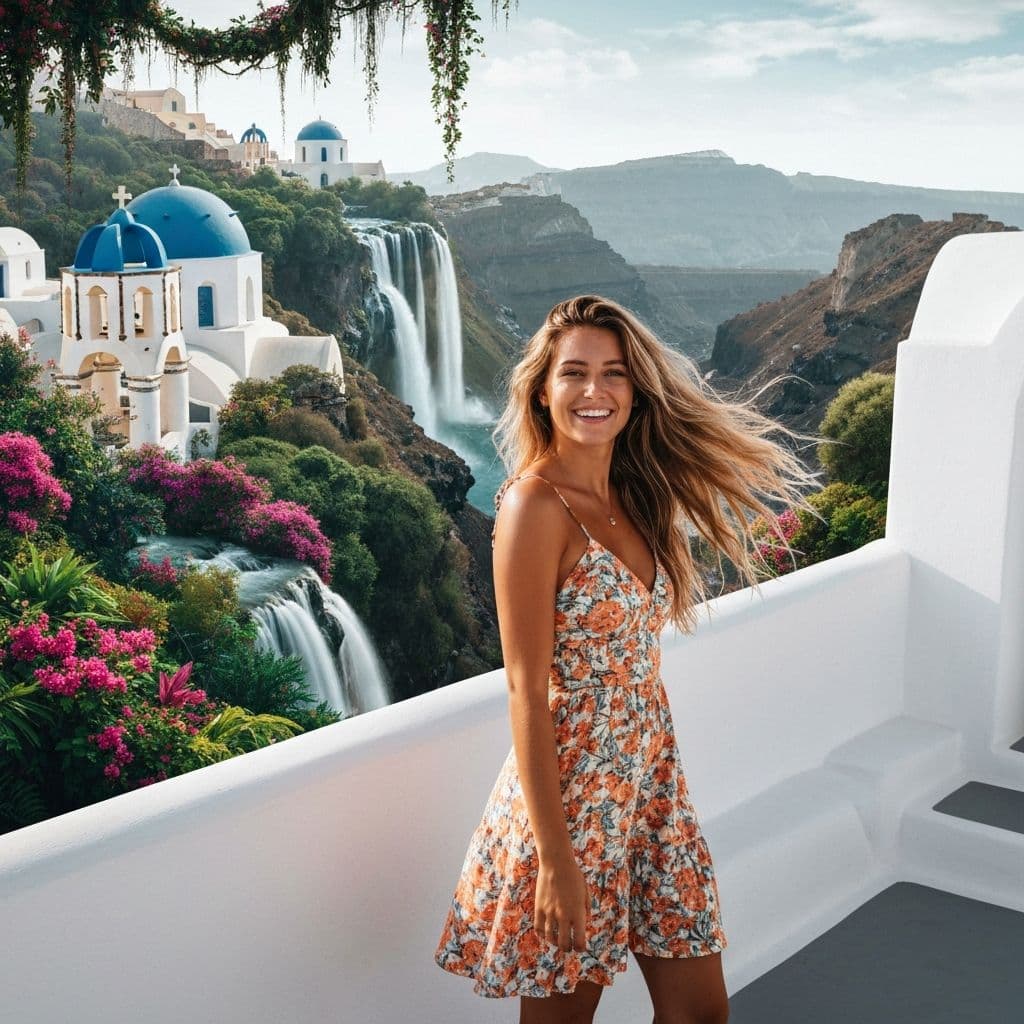
Social Media Content
Create scroll-stopping content by swapping backgrounds, changing outfits for virtual try-ons, or transforming photos into artistic styles for maximum engagement.
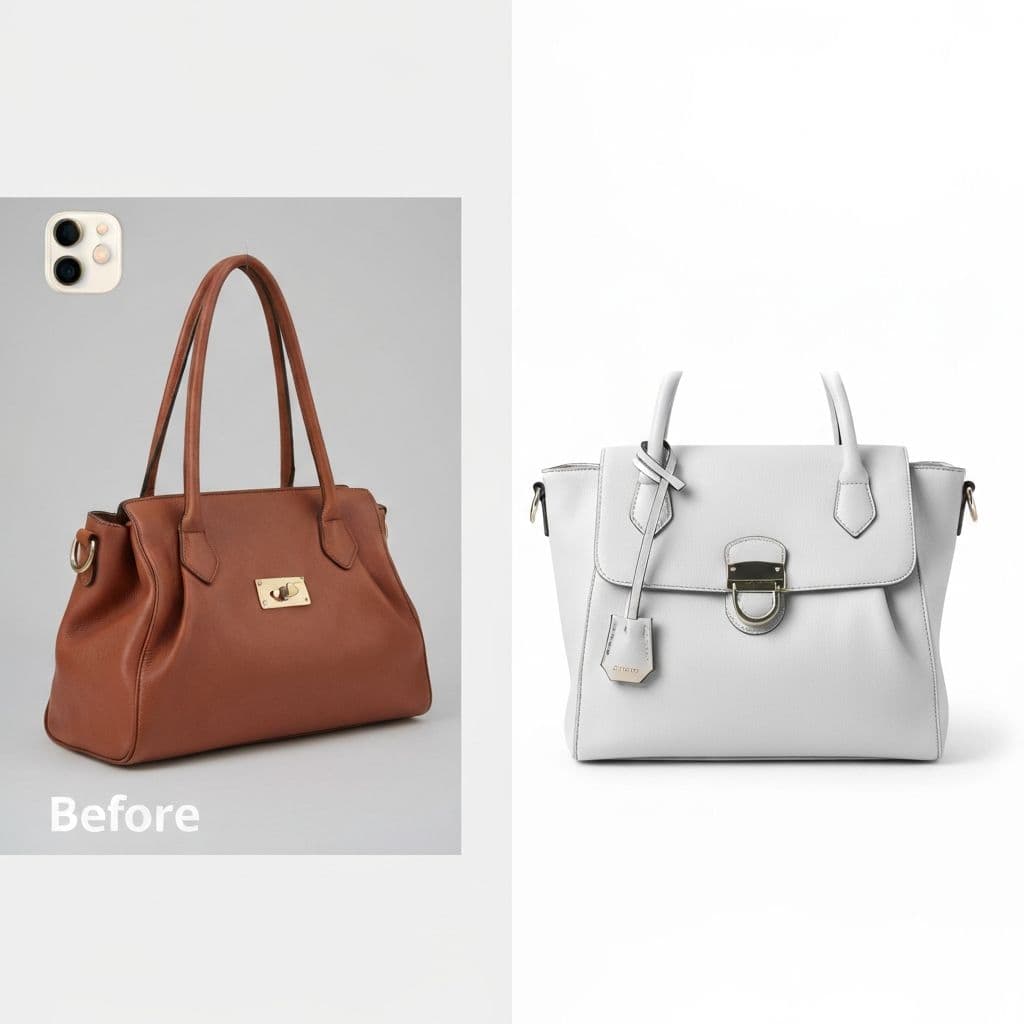
E-commerce Photography
Streamline product photography by removing distracting backgrounds, adjusting colors, or placing products in professional studio settings instantly.
Free AI Image Editor Reviews
See how photographers, marketers, and content creators are using Visualero to streamline their photo editing workflow.
Jessica L.
Fashion Blogger
"The background replacement saves me a lot of time. Not perfect for every complex image, but great for most of my outfit photos."
Marcus T.
Photographer
"Decent for quick edits. I still use Lightroom for serious work, but this is handy for simple fixes and client previews."
Sofia M.
Shop Owner
"Helps me process product images faster. The color correction is quite accurate. Good value for the credits."
Alex C.
Content Creator
"Nice features for quick edits. Sometimes results need manual tweaking, but overall it speeds up my workflow."
David P.
Marketer
"Easy to use and results are good enough for social media. Saves me from bothering our design team for small edits."
Emma W.
Blogger
"Good for creating thumbnails and blog images. The style filters are fun to play with. Worth trying the free credits."
AI Image Editor FAQ: Your Questions Answered
Get answers about editing capabilities, model selection, pricing, and privacy.
What types of edits can the AI Image Editor perform?
Our AI editor can handle a wide range of edits including: background replacement, hair color changes, outfit/clothing swaps, object removal, expression adjustments, style transfers (like sketch-to-storyboard), color corrections, lighting adjustments, and more. Simply describe what you want to change in natural language.
Which AI models are available for image editing?
We offer multiple AI models optimized for different editing tasks: Nano Banana and GPT Image 1.5 for fast general edits, Qwen Image Edit Plus/2511 for identity-preserving edits, and Seedream 4.0/4.5/5.0 for consistent style transfer and 4K output. Each model has different strengths and credit costs.
How many credits does each edit cost?
Credit costs vary by model: Qwen Image Edit costs 3 credits, Nano Banana costs 4 credits, Seedream 4.0 costs 3-6 credits, Nano Banana 2 costs 8-18 credits, and Nano Banana Pro costs 15-25 credits depending on resolution. Credits are only deducted after successful generation.
Can I edit multiple images at once?
Yes! You can upload up to 4 images at a time. This is useful for batch processing similar edits or for more complex edits that require reference images. The AI can understand relationships between multiple images for better results.
Will the AI preserve the original quality of my photos?
Absolutely. Our AI models are trained to maintain the original resolution, quality, and natural look of your photos while applying edits. We support images up to 16MB in size and output high-resolution results suitable for print and professional use.
Is my image data kept private and secure?
Yes, privacy is our priority. Your uploaded images are processed securely, never used for AI training without explicit consent, and automatically deleted from our servers after processing. We do not share your images with third parties.
More AI Tools to Enhance Your Workflow
Combine the Image Editor with our other AI tools for a complete creative experience
AI Image Generator
Create from text
AI Background Remover
One-click removal
AI Background Changer
Replace backgrounds
AI Object Remover
Erase unwanted items
AI Image Upscaler
Enhance up to 4x
AI Image Extender
Expand boundaries
AI Headshot Generator
Pro portraits
AI Logo Generator
Brand identity
AI Poster Generator
Stunning posters
AI Video Generator
Text to video
Ready to Transform Your Photos?
Edit photos in seconds with Visualero's AI-powered tools. No credit card required - get 5 free credits daily.